Zapier Integration
Parselyze has an official Zapier app. Add it to your account with the link below and start automating document parsing in minutes, with no code required.
Accept the invite to add Parselyze to your Zapier account →
Setup
- Accept the invite above. The Parselyze app will appear in your Zapier app library.
- When adding a Parselyze action, connect your account using your API key (find it in your Parselyze dashboard under Account → API Keys).
- That's it. The app is ready to use in any Zap.
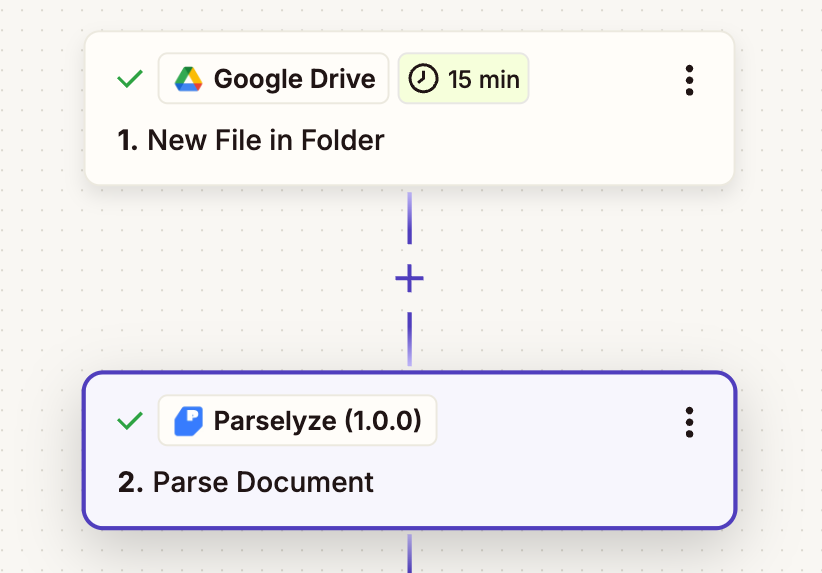
Available action
Parse Document
Sends a document to Parselyze and returns the extracted fields as structured JSON.
| Field | Description |
|---|---|
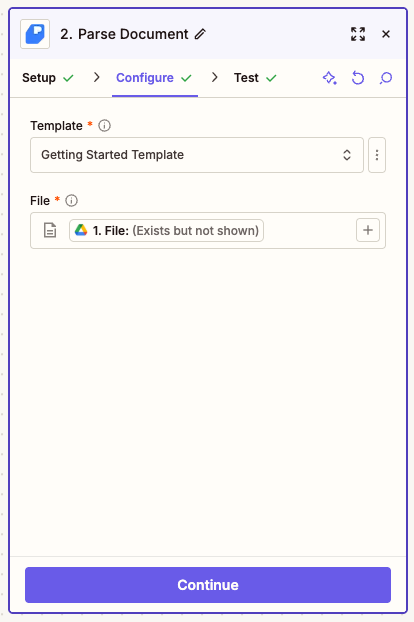
| Template | The extraction template to use. Populated dynamically from your account. |
| File | The document to parse (PDF, PNG, JPG, WEBP, TIFF, BMP). Map a file from a previous step. |
The action returns the parsed JSON fields directly in the Zap, ready to map into any downstream step.
Automation examples
Invoice → Google Sheets
Automatically extract invoice data and log it to a spreadsheet.
- Trigger: Gmail → New Attachment (or Google Drive → New File in Folder)
- Action: Parselyze → Parse Document
- Template: your invoice template
- File: attachment from step 1
- Action: Google Sheets → Create Spreadsheet Row
- Map
invoice_number,total_amount,due_date,vendor.name… from step 2
- Map
Receipt photo → Expense report
Turn photos of receipts into expense records in Airtable or Google Sheets.
- Trigger: Google Drive → New File in Folder (a folder where employees drop receipt photos)
- Action: Parselyze → Parse Document
- Template: your receipt template
- File: file from step 1
- Action: Airtable → Create Record
- Map
merchant,amount,date,categoryfrom step 2
- Map
Contract upload → Notion database
Extract key clauses from uploaded contracts and store them in Notion.
- Trigger: Google Drive → New File in Folder (contracts folder)
- Action: Parselyze → Parse Document
- Template: your contract template
- File: file from step 1
- Action: Notion → Create Database Item
- Map
contract_type,effective_date,parties,governing_lawfrom step 2
- Map
Parsed document → Slack alert
Get a Slack message as soon as a document is parsed.
- Trigger: any trigger that produces a file (email attachment, form upload, Drive…)
- Action: Parselyze → Parse Document
- Action: Slack → Send Channel Message
- Body:
New document parsed: {{invoice_number}} - {{total_amount}} {{currency}} due {{due_date}}
- Body: